Signing Up
How do I create a Groupbuys account, and what happens when I sign in with Discord?
1 min readUpdated November 5, 2026
You sign up with your Discord account. There's no password to remember, and the same button signs you back in.
Create Your Account#
- Go to groupbuys.io/signup.
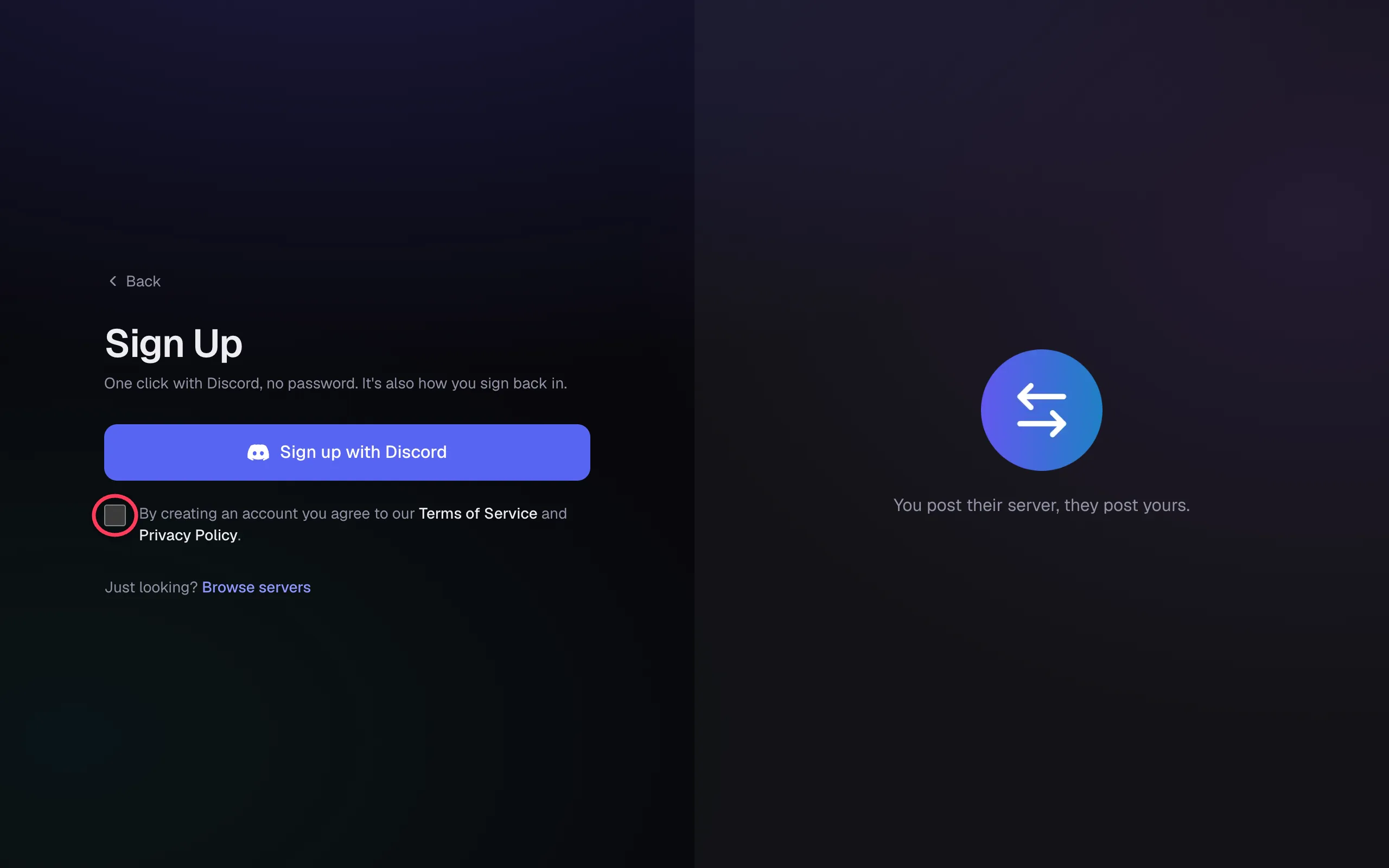
- Tick the box to agree to the Terms of Service and Privacy Policy.
- Click Sign up with Discord, then approve on Discord's page.
Tip
The button won't continue until that box is ticked. It's the most common reason sign up seems stuck.
What Happens When You Sign In#
- We read your Discord name, your photo and the servers you're in, so we can show the servers you own.
- You join the Groupbuys Discord server, where support happens.
- We keep permission to add you back to it later, or to servers it partners with. You can turn this off at any time. See Being Added to Servers.
Your Servers Are Missing#
The list of servers is refreshed each time you sign in. If you just created a server or became its owner, sign out and back in. See My Server Isn't Showing Up.
Was this article helpful?
NextListing Your ServerStill stuck?
Talk to a person. Open a support ticket in our Discord, or ask the community there.