
Writing Your Ad
How do I create or edit the ad partners post, using the editor or JSON?
1 min readUpdated November 5, 2026
Your ad is the message partners post in their server. You can write it in the editor or paste it as JSON.
Open the Editor#
During setup it's the Your ad step. After that, open Ads and click Edit.
JSON or Basic#
The editor has two views. Use the switch at the top.
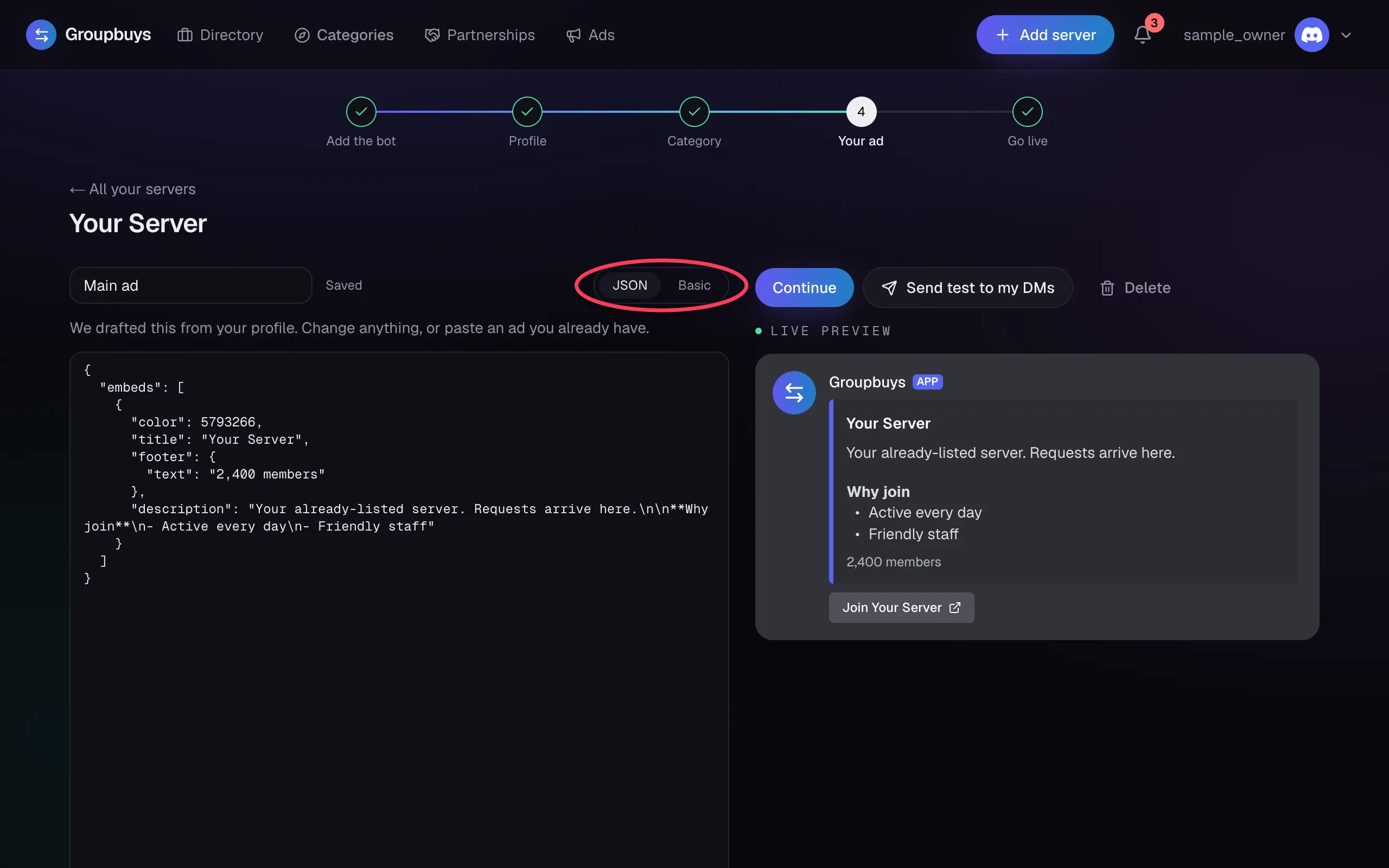
- JSON is the default. Paste a message from Discohook or a past post.
- Basic gives you plain fields for the title, text, image and buttons.
The preview beside it shows how it'll look in Discord. Click Send test to my DMs to see the real thing without posting it anywhere.
Posting Under Your Own Name#
Add username and avatar_url to your JSON, and your ad posts under that name and photo instead of Groupbuys.
{
  "username": "Your Server",
  "avatar_url": "https://example.com/logo.png",
  "embeds": [{ "title": "Join us", "description": "What your server is about." }]
}
This needs the bot's Manage Webhooks permission in the partner's server. Without it, the ad still goes out, under the Groupbuys name. Giveaways always post as Groupbuys.
Buttons#
Add up to 4 link buttons. The bot adds a Join button with your invite link by itself, so you don't need to add your own.
Tip
Keep the first line short and say who it's for. Partners' members decide in a second or two.
Still stuck?
Talk to a person. Open a support ticket in our Discord, or ask the community there.