
Setting Up a PR Team
How do I let people with certain roles run partnerships for my server?
1 min readUpdated November 5, 2026
Your PR team runs partnerships so you don't have to. You choose them by Discord role.
Choose the Roles#
- Open your servers and click Manage.
- Find PR team and tick the roles you trust.
- Click Save team.
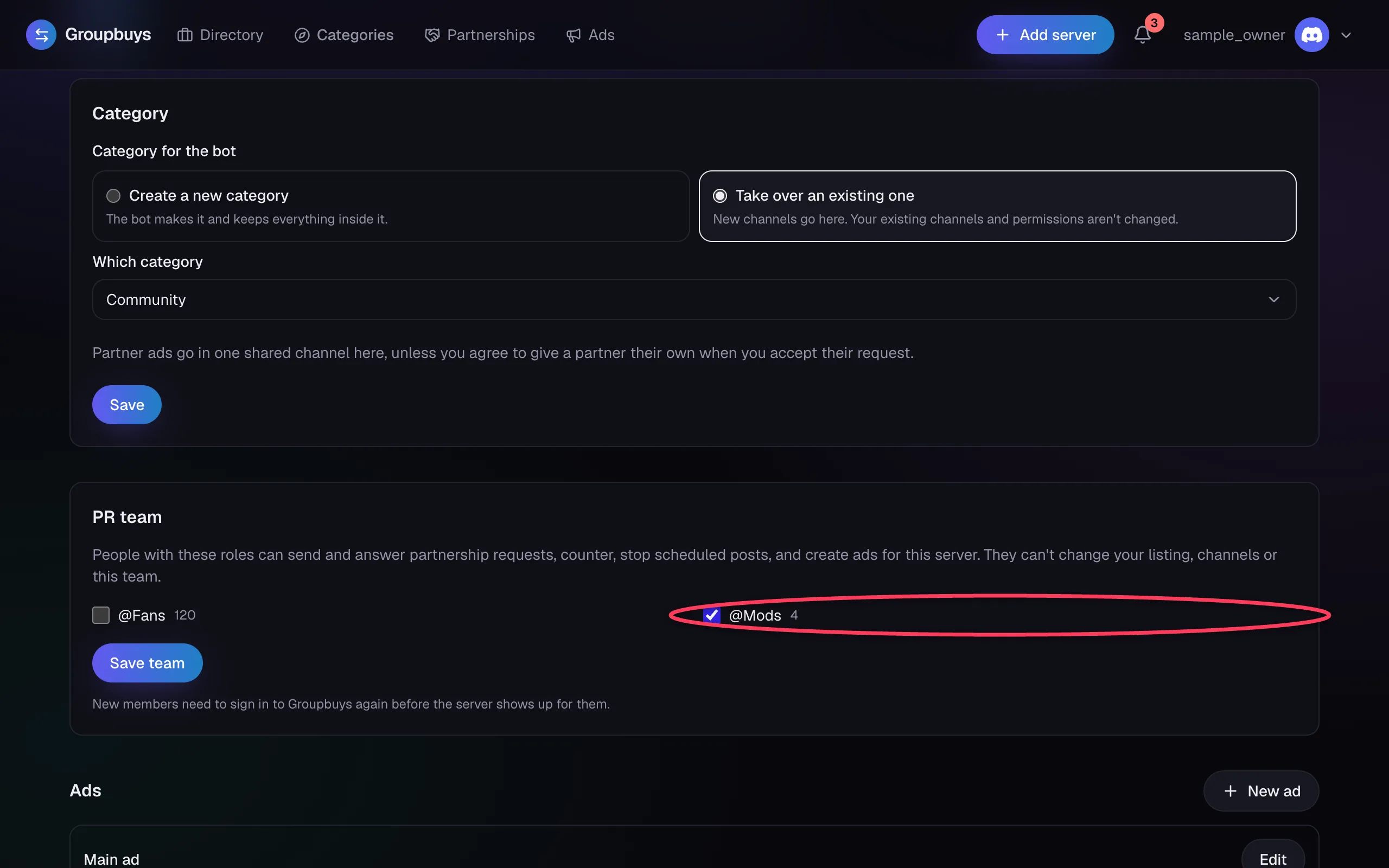
Anyone with one of those roles is on the team. To remove someone, take the role away in Discord. They lose access straight away.
What They Can and Can't Do#
| PR team | Owner | |
|---|---|---|
| Send, counter, accept and decline requests | Yes | Yes |
| Create and edit ads | Yes | Yes |
| Stop scheduled posts and cancel giveaways | Yes | Yes |
| Change the listing, profile or channels | No | Yes |
| Choose the PR team | No | Yes |
Important
Team members can agree to pings on your behalf, including @everyone, and to giveaways. Only pick roles you trust with that.
What You'll See#
You still get a DM about everything that happens, and the Partnerships page shows who handled each one.
Was this article helpful?
NextWorking on a PR TeamStill stuck?
Talk to a person. Open a support ticket in our Discord, or ask the community there.