
Scheduling and Recurring Posts
How do I choose when an ad goes live, and how do I repeat it?
1 min readUpdated November 5, 2026
Each side of a deal can go live at its own time, and repeat on its own schedule. Whoever sends the request or the counter sets this.
Set It Up#
Under each side, tick the box you want. Leave both unticked and the ad goes live immediately when accepted.
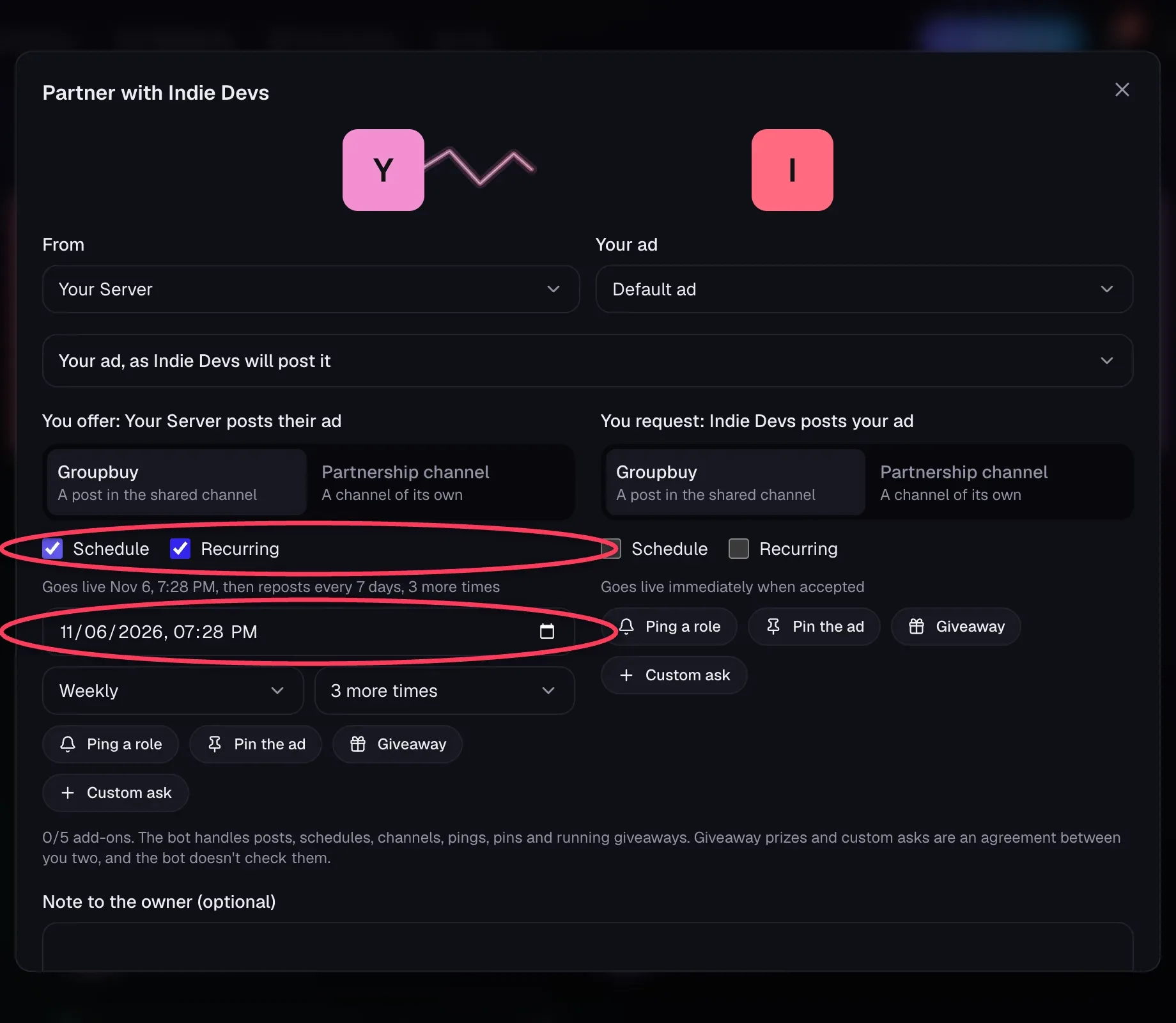
| Option | What it does |
|---|---|
| Schedule | Pick a date and time, in your own time zone, up to 90 days ahead |
| Recurring | Repeat every day, every 3 days, weekly, every 2 weeks or monthly, up to 12 more times |
The line under the boxes always says what will happen, like Goes live Nov 8, 3:00 PM, then reposts every 3 days, 2 more times.
What Happens on the Date#
- The first post carries any agreed ping and pin. Repeats don't ping again.
- Both owners get a DM with a link each time a post goes up.
- Monthly means every 30 days.
If the Date Has Passed#
If someone accepts after the scheduled time, the ad posts right away and any repeats count from then. Sending a counter with a date that has passed asks you to pick a new one.
Stopping Posts#
Either side can click Stop on the Partnerships page. The other owner is told.
If a Post Can't Go Out#
The bot tries again a few minutes later. After 3 failures in a row, it stops and DMs both owners, usually because of a permission change. Removing the bot or changing owner also stops the posts.
Still stuck?
Talk to a person. Open a support ticket in our Discord, or ask the community there.