
Pings and Pins
How do pings and pins work, and can I see how many people a role reaches?
1 min readUpdated November 5, 2026
Ask the other server to ping a role or pin your ad, or offer the same in return.
Ping a Role#
Click Ping a role in a column and choose from the server's roles. The list shows how many members each role has, so you know the reach before you ask.
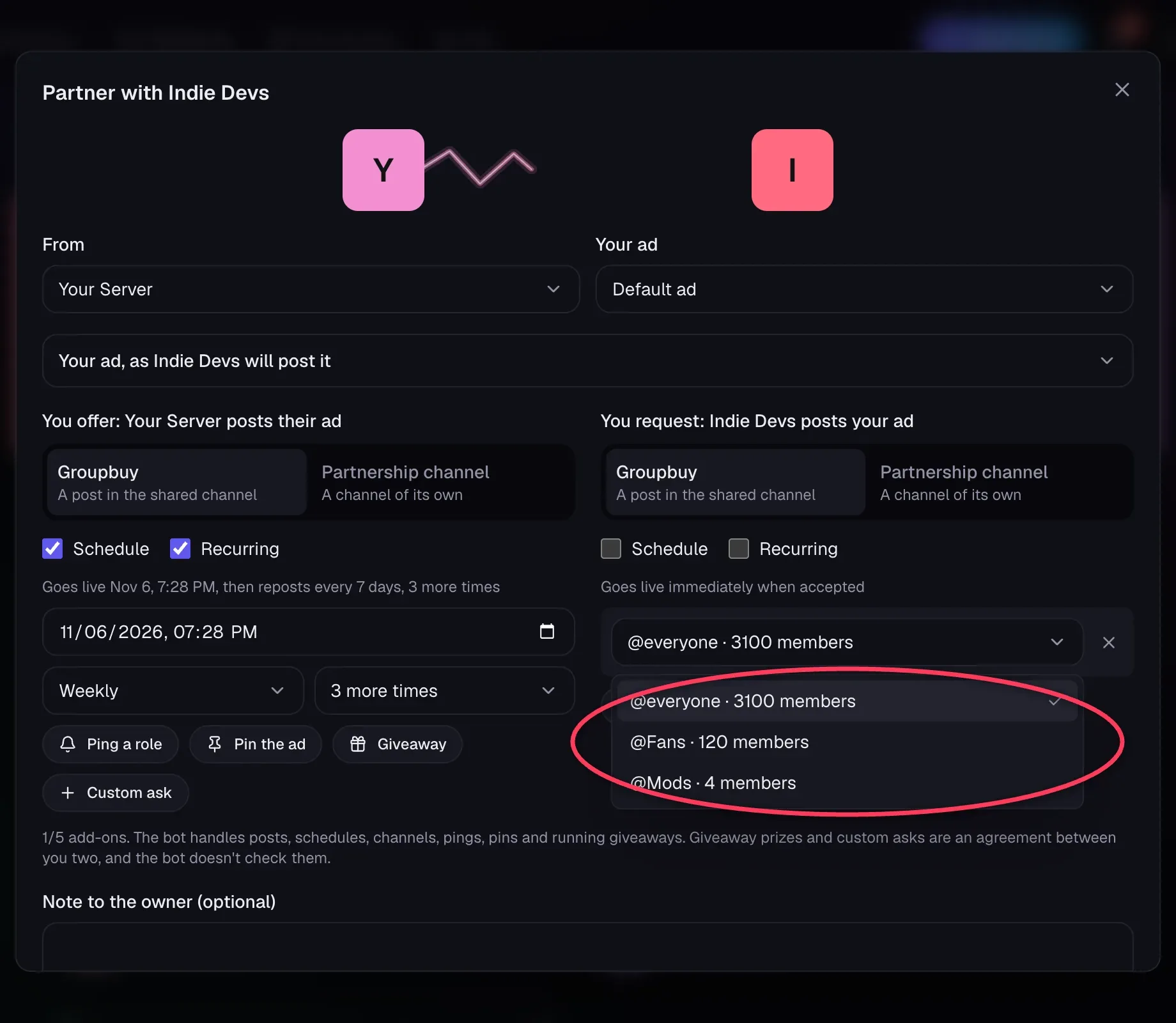
- Only roles the bot can really ping are listed.
- Counts come from Discord when the request is saved, so they can't be inflated.
- The ping happens once, on the first post. Repeats don't ping.
@everyoneis listed too. It's up to the owner to agree to that.
Pin the Ad#
Click Pin the ad. The post is pinned in its channel once it goes up. If the pin fails, the ad still stays up and the partnership still completes.
When They Aren't Available#
If an option is missing, the bot doesn't have that permission in that server yet. The owner can click Update permissions on their server's page.
Note
Pings and pins only ever happen when a server's owner, or their PR team, agreed to them on that request.
Still stuck?
Talk to a person. Open a support ticket in our Discord, or ask the community there.