
Listing Your Server
How do I get my server into the directory, step by step?
1 min readUpdated November 5, 2026
Listing takes a couple of minutes. Groupbuys fills in what it can from Discord, and you check the rest.
Before You Start#
You need to be the owner of the server, and it needs 100 or more members.
Step 1: Choose Your Server#
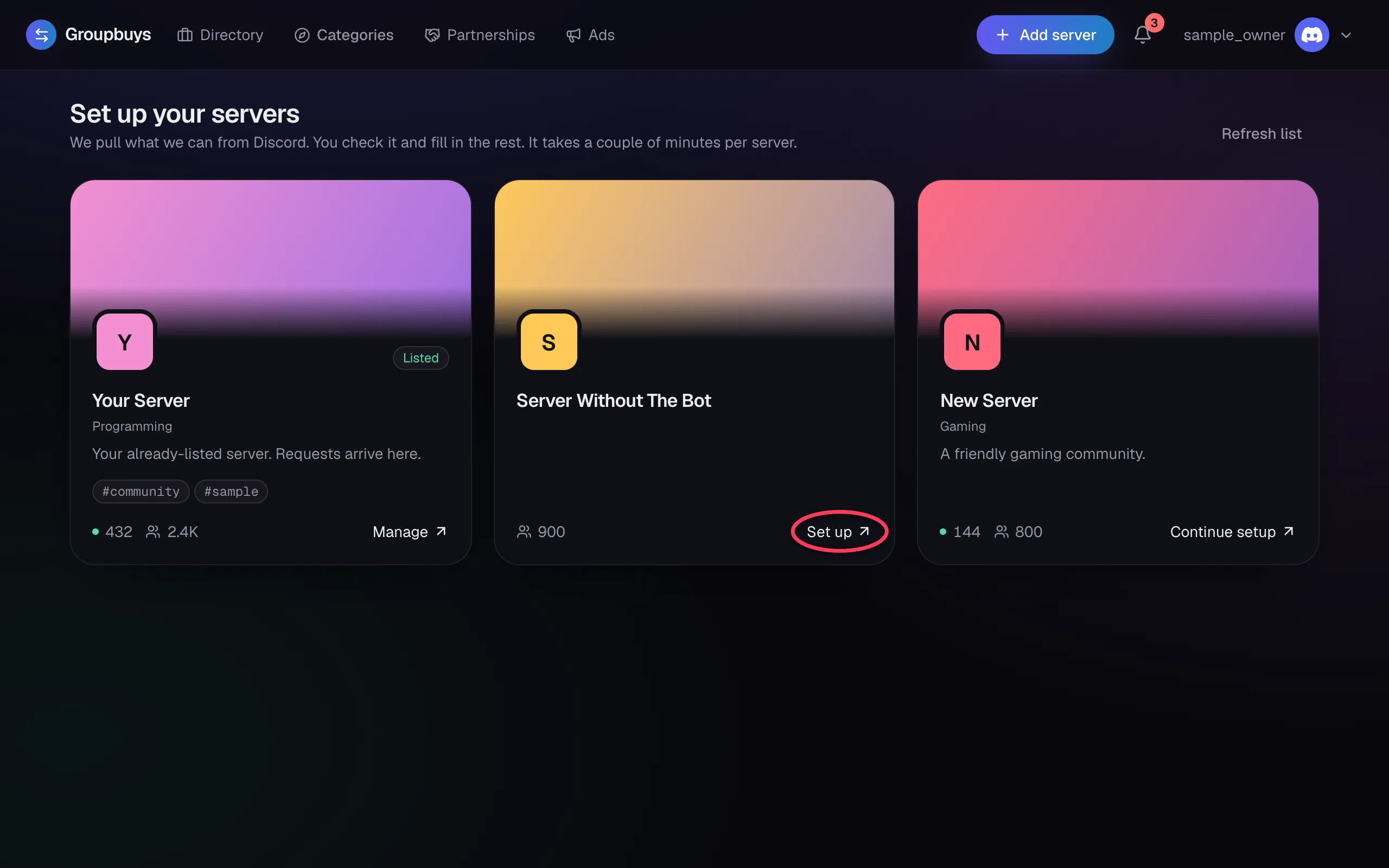
Go to Set up your servers and click Set up on the server you want to list.
Step 2: Add the Bot#
Click Add the bot. Discord opens in a new tab, so choose Authorize there. Once the bot arrives, the tab closes and you move on by yourself.
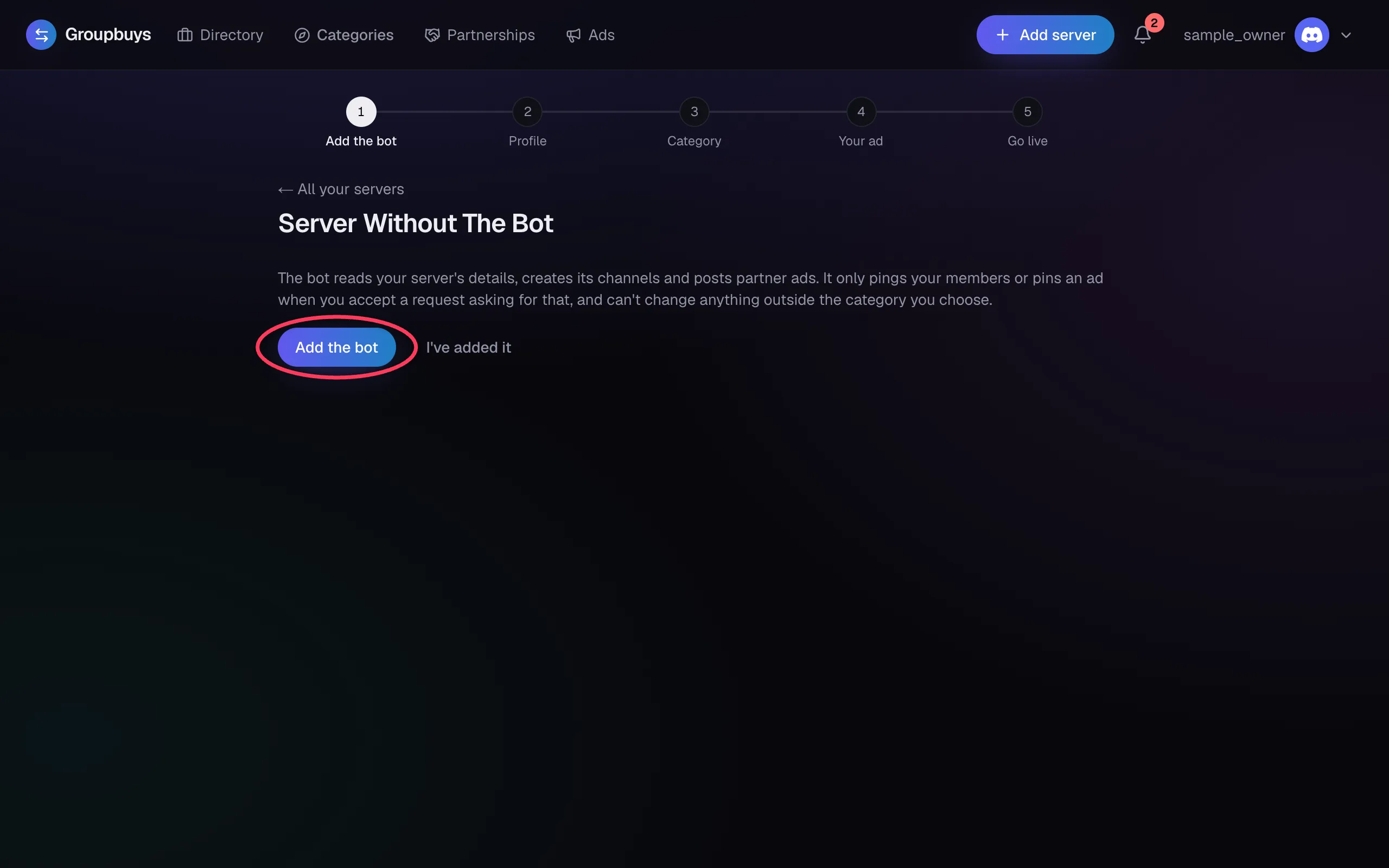
If nothing happens, go back and click I've added it. See The Bot Is Missing Permissions if Discord refuses.
Step 3: Fill In Your Profile#
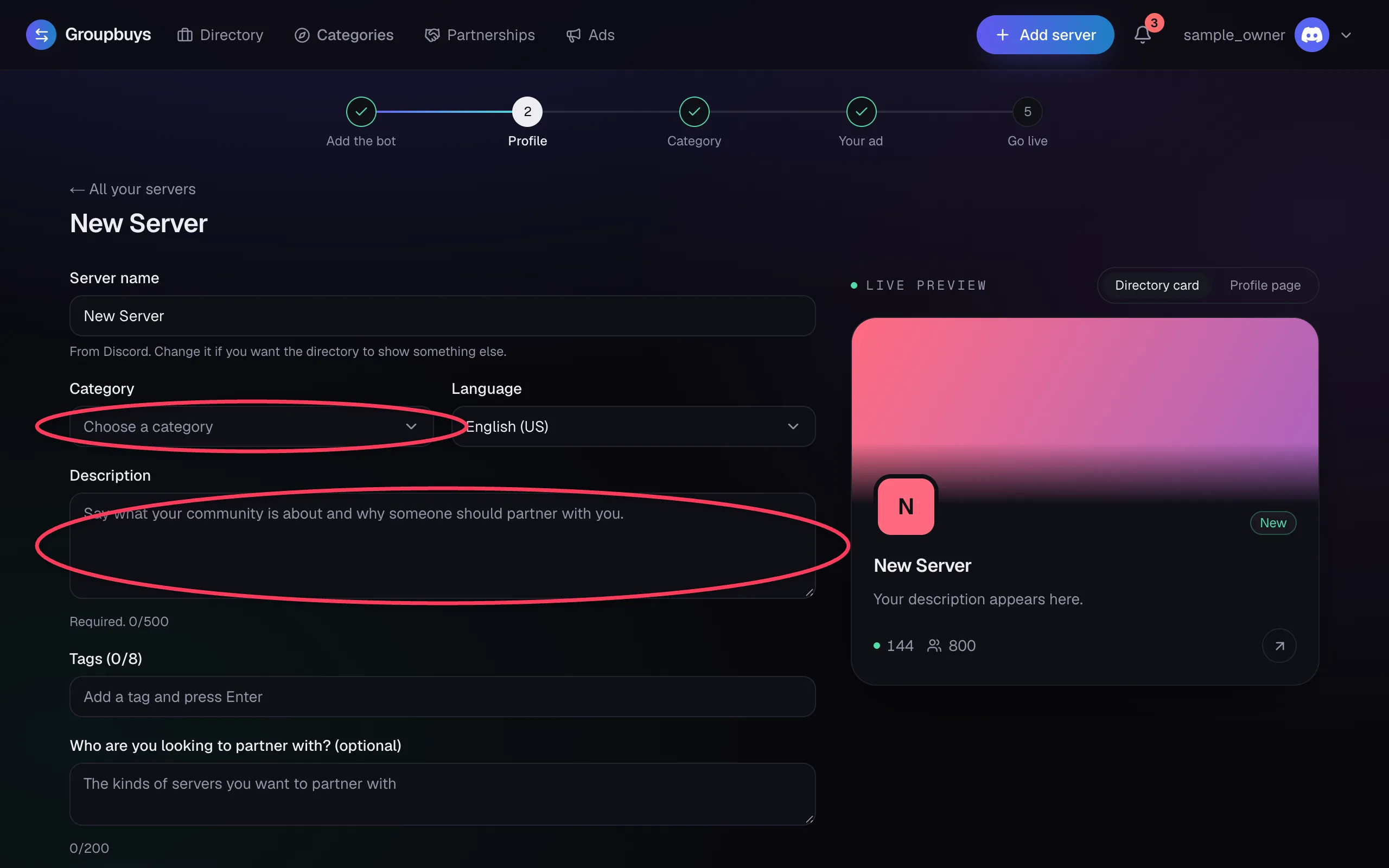
Your name, tags and language come from Discord. Two things are yours to fill in: your category and your description. Owners read these to decide whether you're a good match.
Step 4: Check the Category#
The bot picks where its channels go. If your server already has a partner category, it uses that one. Otherwise it creates one called 🤝|Partners. Your existing channels and permissions aren't changed.
Step 5: Write Your Ad#
Your ad is what partners post. We start you with a draft built from your profile. See Writing Your Ad.
Step 6: Go Live#
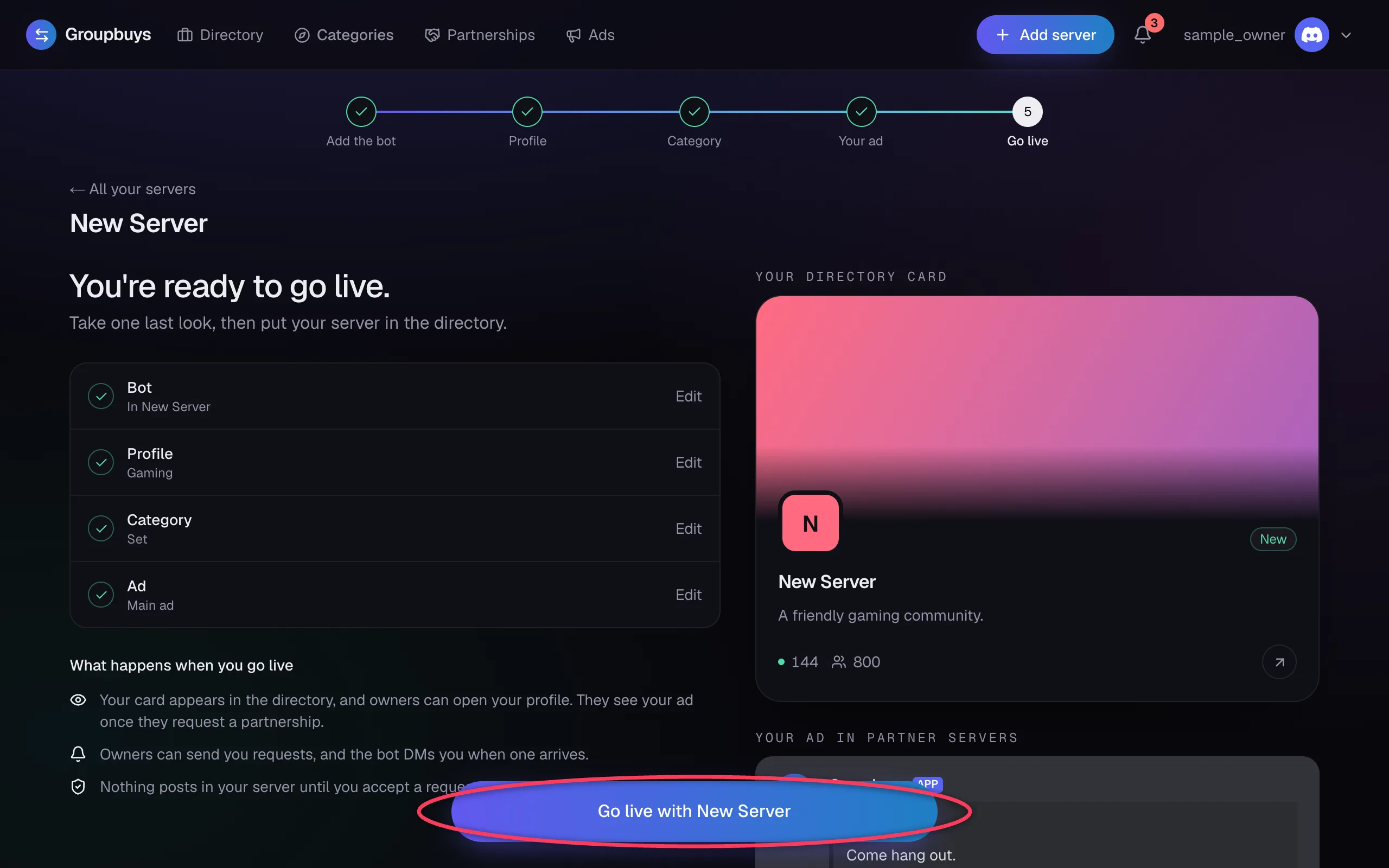
Check the list, then click the button at the bottom. Your server appears in the directory, and a post goes up in the Groupbuys Discord.
Note
Going live doesn't post anything in your own server. Owners can see your profile and send you requests. They only see your ad after they request a partnership.
Still stuck?
Talk to a person. Open a support ticket in our Discord, or ask the community there.